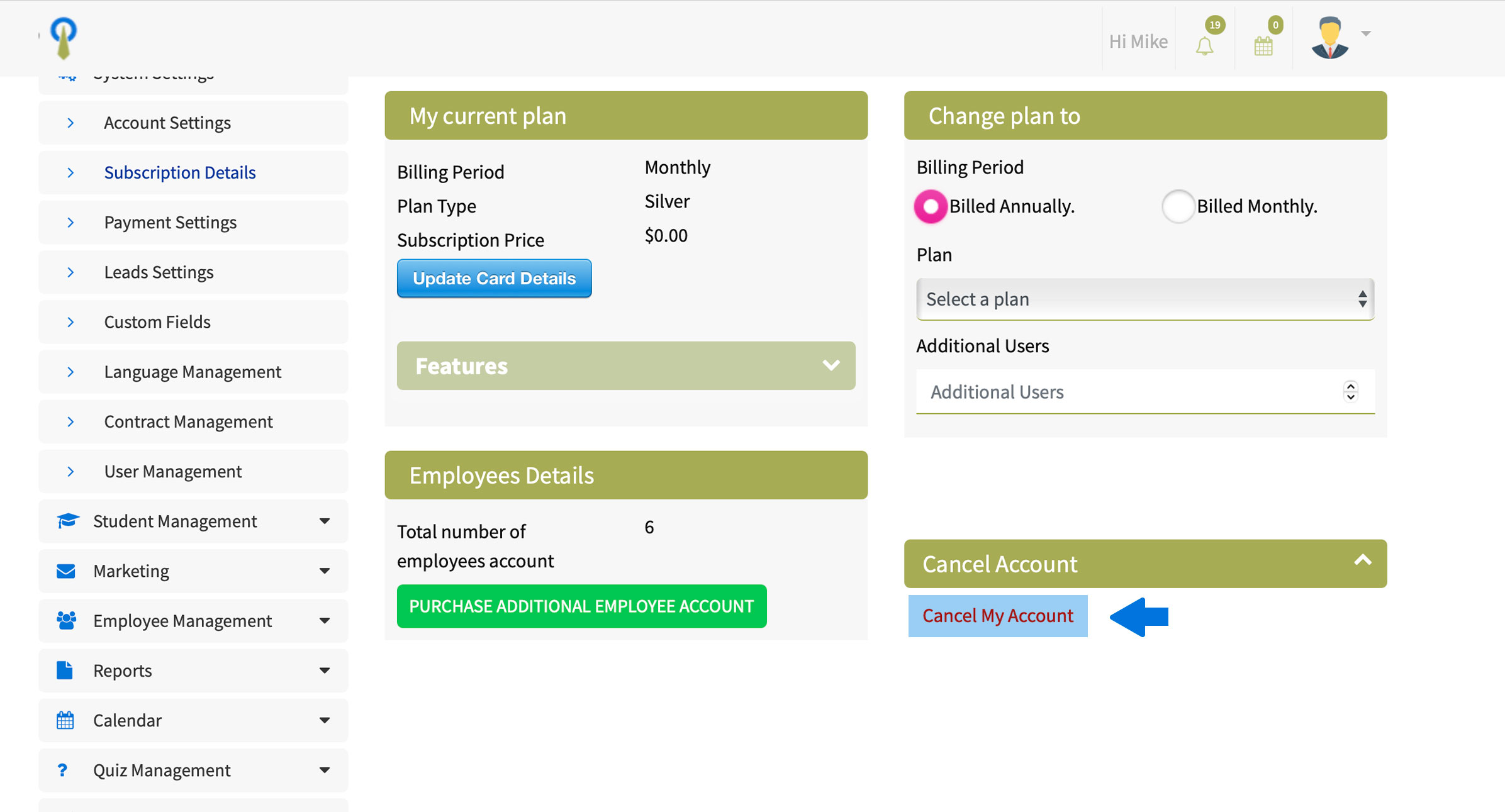
How to delete my Steams Online account?
1. Log in to your Steams Online account to access your dashboard.
2. Click on the "System Settings tab” and expand the menu.
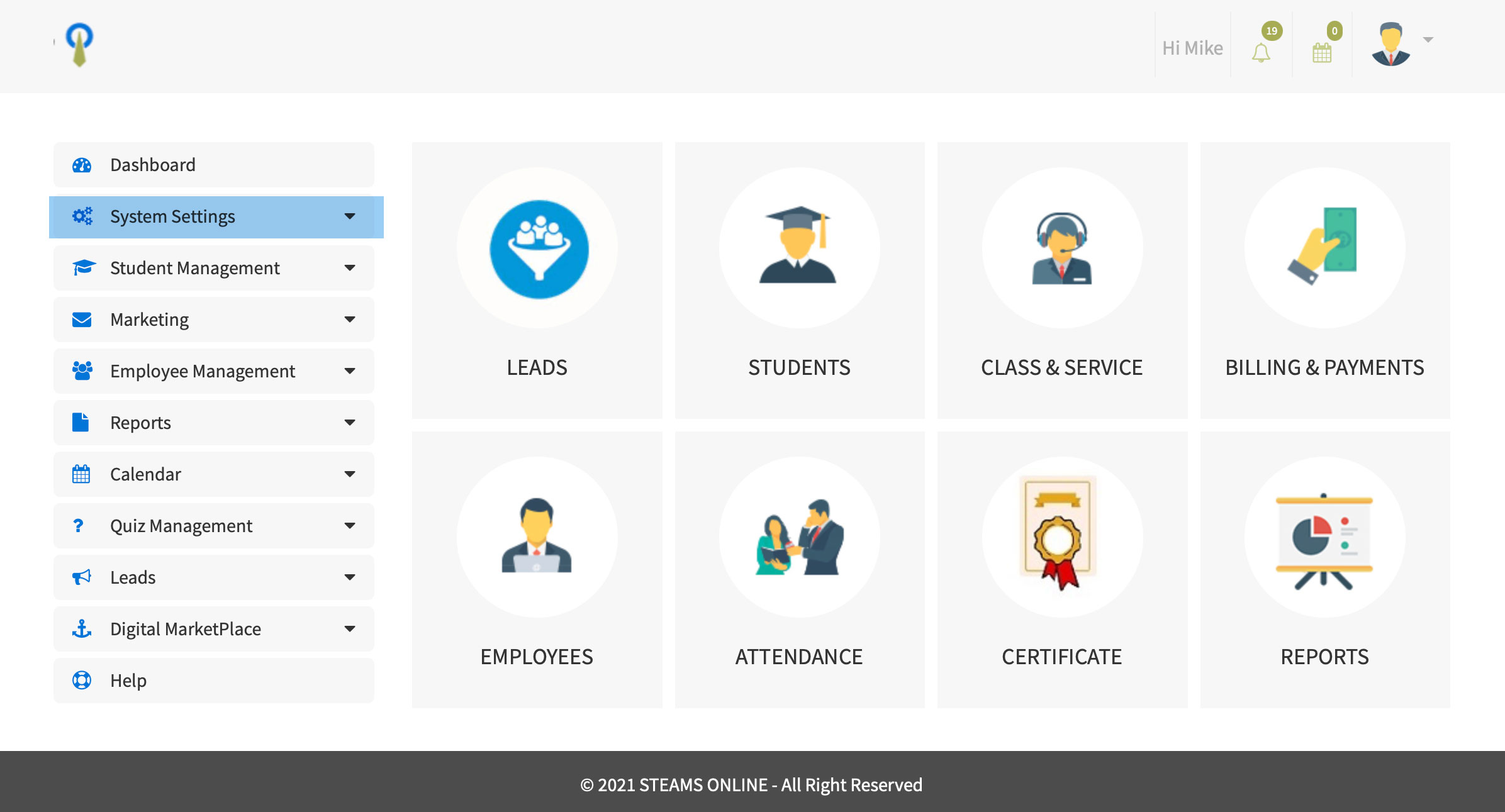
3. Click on the "Subscription Details tab”.
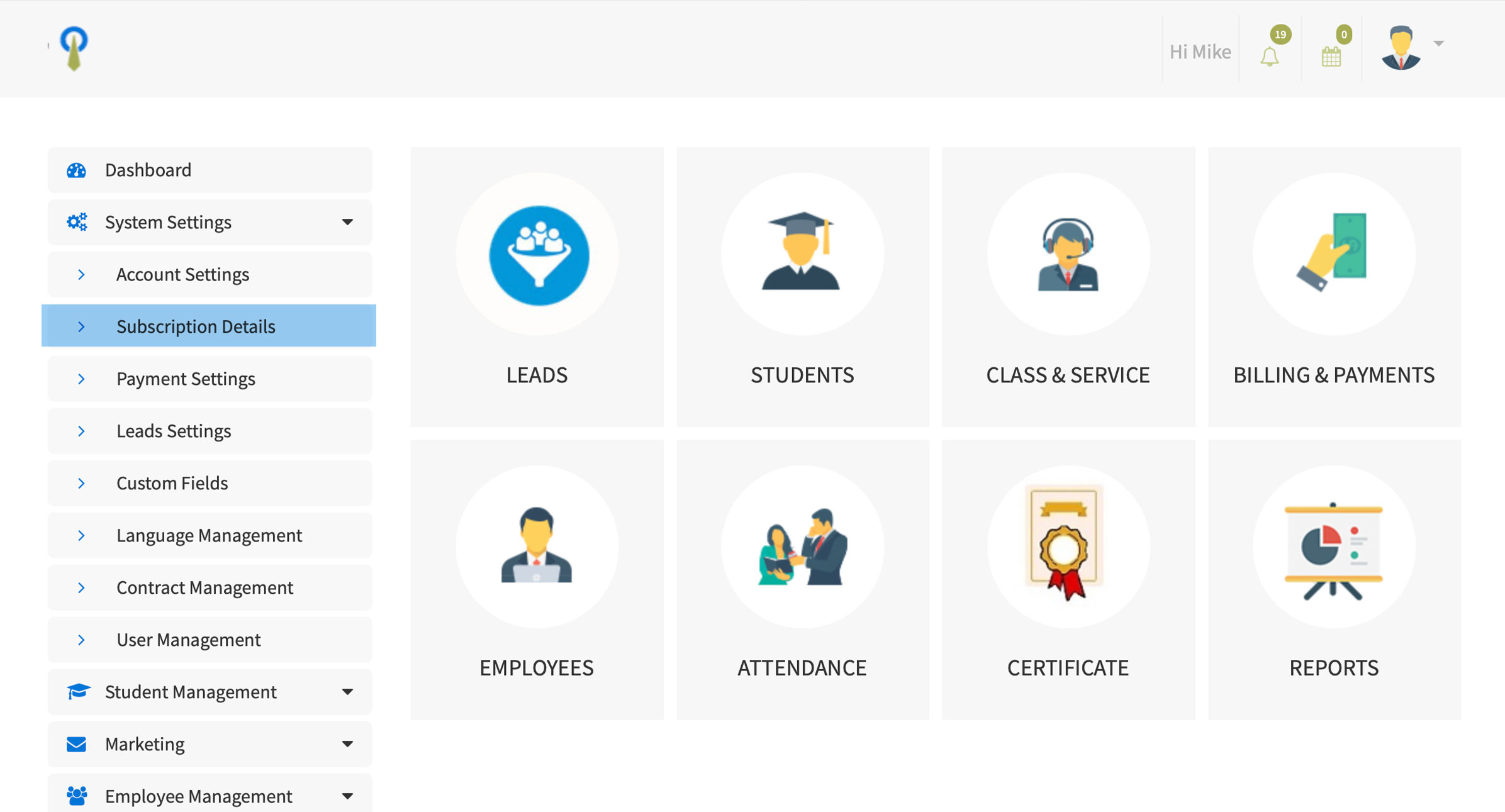
4. The system will redirect you to the "My Plan page", where you will click on the “Cancel Account” green Box.

5. Click on “Cancel My Account”.