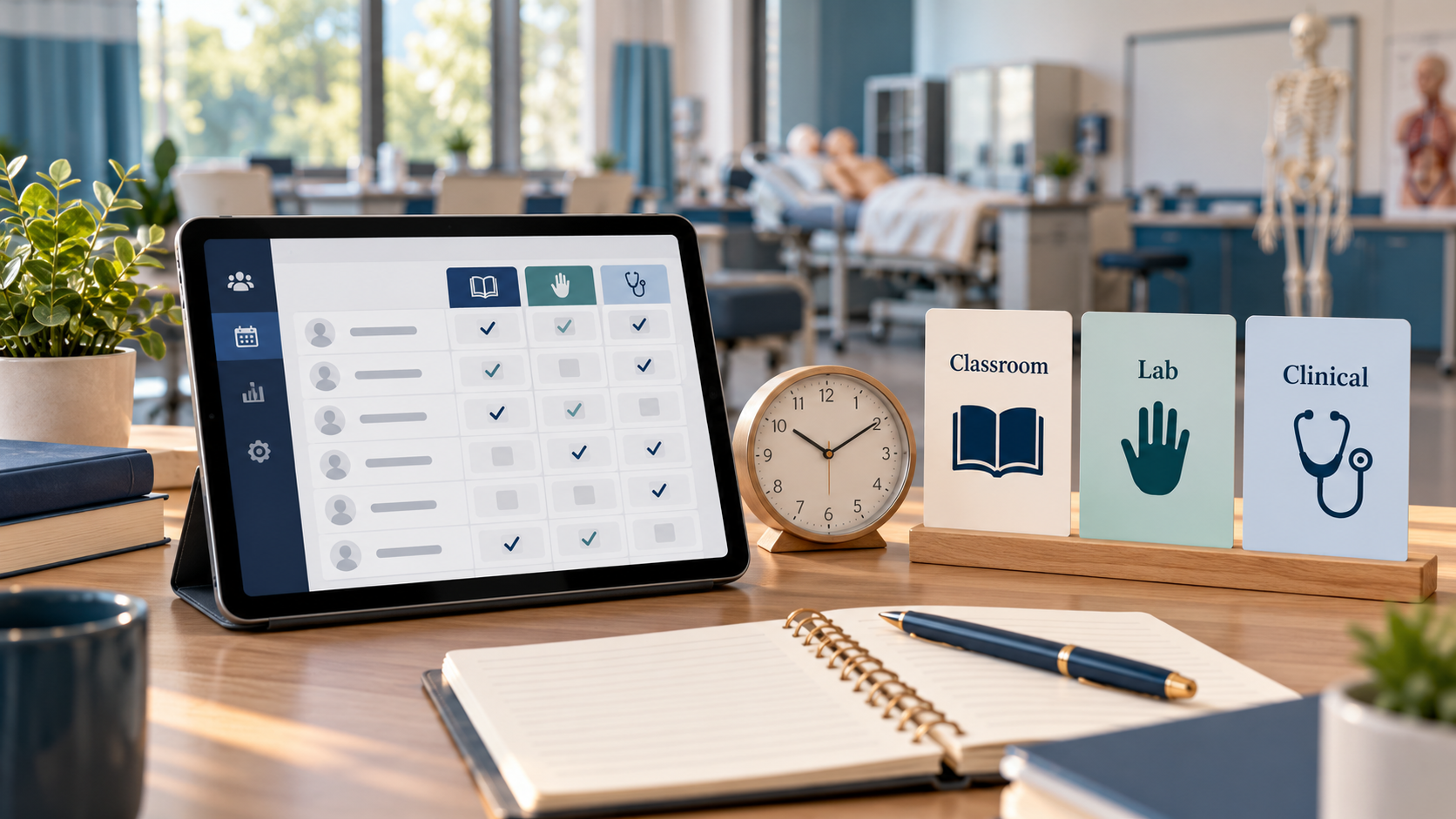
The attendance sheet says a student was present. The instructor remembers a late arrival. A make-up session is recorded in an email, and the clinical log is in a separate folder. When someone asks how many approved hours the learner has completed, staff have to reconstruct the story.
Classroom, lab, and clinical hour tracking should record actual approved participation by activity type, with the date, time, supervisor, relevant evidence, and authorized corrections. Scheduled hours, attendance status, completed hours, and demonstrated competency are related records, but they are not the same thing.
A useful process makes those distinctions visible before a student reaches the end of the program.
Start with your approved program requirements
Create a requirement record for each program and applicable version. Identify the total hours, required activity categories, sequence rules, supervision, attendance policies, make-up conditions, and evidence needed for completion.
For covered nurse aide programs, 42 CFR 483.152 requires at least 75 clock hours and at least 16 hours of supervised practical training. It separately requires instruction in specified topics before direct resident contact. Do not treat those provisions as permission to substitute any lab or online activity for an approved clinical requirement.
States and programs may require more. The Georgia Nurse Aide Registry, for example, identifies an 85-hour minimum for approved Georgia nurse aide training. Use the current rules and approved curriculum for your own program rather than copying another school's hour split.
Keep four measures separate
Scheduled hours describe the timetable. They are the hours a student could attend, not evidence that the student attended them.
Attendance status describes an event such as present, absent, late, or excused. “Excused” may explain an absence without satisfying a required hour total.
Approved completed hours represent time accepted under the applicable program rules after relevant breaks, absences, and adjustments are considered.
Competency evidence records whether the learner demonstrated a required skill or outcome. Time present does not automatically establish proficiency.
Design your reports so staff do not have to guess which measure a total represents.
What to record for each session
At minimum, determine which of these fields your program needs:
- Student and cohort identifiers.
- Date, location, and session or activity identifier.
- Activity category, such as classroom, lab, or clinical.
- Scheduled start and end times.
- Actual participation times and noncountable time where applicable.
- Approved completed minutes or hours.
- Instructor or supervisor and approval status.
- Related skill or activity evidence, where required.
- Absence, lateness, or exception reason using appropriate privacy limits.
- Correction history and supporting note.
Record the time zone when remote or multi-location activities could create confusion. Use a consistent unit, preferably retaining exact minutes before displaying hour totals.
A worked example of actual time
This is an arithmetic example, not a rule about what time your regulator permits you to count.
A session is scheduled from 8:00 a.m. to noon: 240 minutes. A learner arrives at 8:15 and remains until noon, giving 225 minutes of presence. If the applicable approved policy excludes a 15-minute break, the accepted participation would be 210 minutes, or 3.5 hours.
The example demonstrates why “present for a four-hour session” can be misleading. Your school must apply its actual counting and rounding rules. Do not round a student's time up merely to make a requirement appear satisfied.
If the learner later completes an approved make-up activity, record it as a separate event with its own category and approval. Do not change the original attendance entry to suggest the missed time never happened.
Set a clear correction process
Mistakes happen: an instructor selects the wrong student, a check-in fails, or a session end time is entered incorrectly. Corrections should improve the record while preserving what changed.
Define who can request, approve, and make a correction. Retain the original value, revised value, date, person making the change, and reason when your record system supports that history.
If your system lacks a needed history feature, use a controlled correction log while you address the gap. Do not assume an editable spreadsheet provides a sufficient audit trail simply because it is easy to update.
Reconcile before the last week
Review outstanding hours and competencies regularly. A useful weekly report identifies:
- Missing or unapproved session entries.
- Students approaching an attendance limit.
- Hours still needed by category.
- Make-up activities requested but not completed.
- Required skills or approvals still outstanding.
Check for duplicate entries and overlapping sessions. A student should not receive two sets of time credit for the same period unless the applicable rules expressly permit the recording approach.
Give students a clear way to review their status and report an error. Staff should resolve discrepancies before issuing completion documents.
Keep clinical information limited to the educational need
An hour log generally does not need a patient's name or identifying medical details. Use the program's approved documentation method and restrict access to sensitive supporting records.
For vendor evaluation, the FTC's security guidance supports limiting access and retaining only appropriate information. Confirm any additional privacy and record-retention obligations with the responsible school and clinical-site staff.
Questions to ask your software provider
- Does the system track attendance only, or actual time by activity category?
- Can we represent our approved program's requirements and versions?
- How are late arrivals, breaks, early departures, and make-ups handled?
- Who can approve or correct an entry, and what history remains?
- Can we export the detailed record behind a student's total?
- Can completion decisions distinguish hours from competency sign-offs?
Ask for a demonstration using a late arrival and a correction. Those examples reveal more than a dashboard filled with perfectly completed records.
Frequently asked questions
Does an excused absence count toward required hours?
That depends on the applicable rules. An excused status explains the absence; it should not automatically be interpreted as completed training.
Can online time replace a clinical requirement?
Do not assume it can. Follow the approved delivery model and current regulator or program requirements. A software setting cannot authorize a substitution.
Does completing the hours mean the student has passed?
Not necessarily. Completion may also require assessments, skill demonstrations, prerequisites, and authorized approvals.
Match the system to the evidence your program needs
Steams Online's student management and LMS describe attendance and progress tracking. Exact classroom, lab, clinical, and audit requirements should be demonstrated for your program.
Bring a sample hour log to a Steams Online demonstration. Ask the team to show how the underlying evidence, exceptions, corrections, and completion review would work for your school.